RPA Call
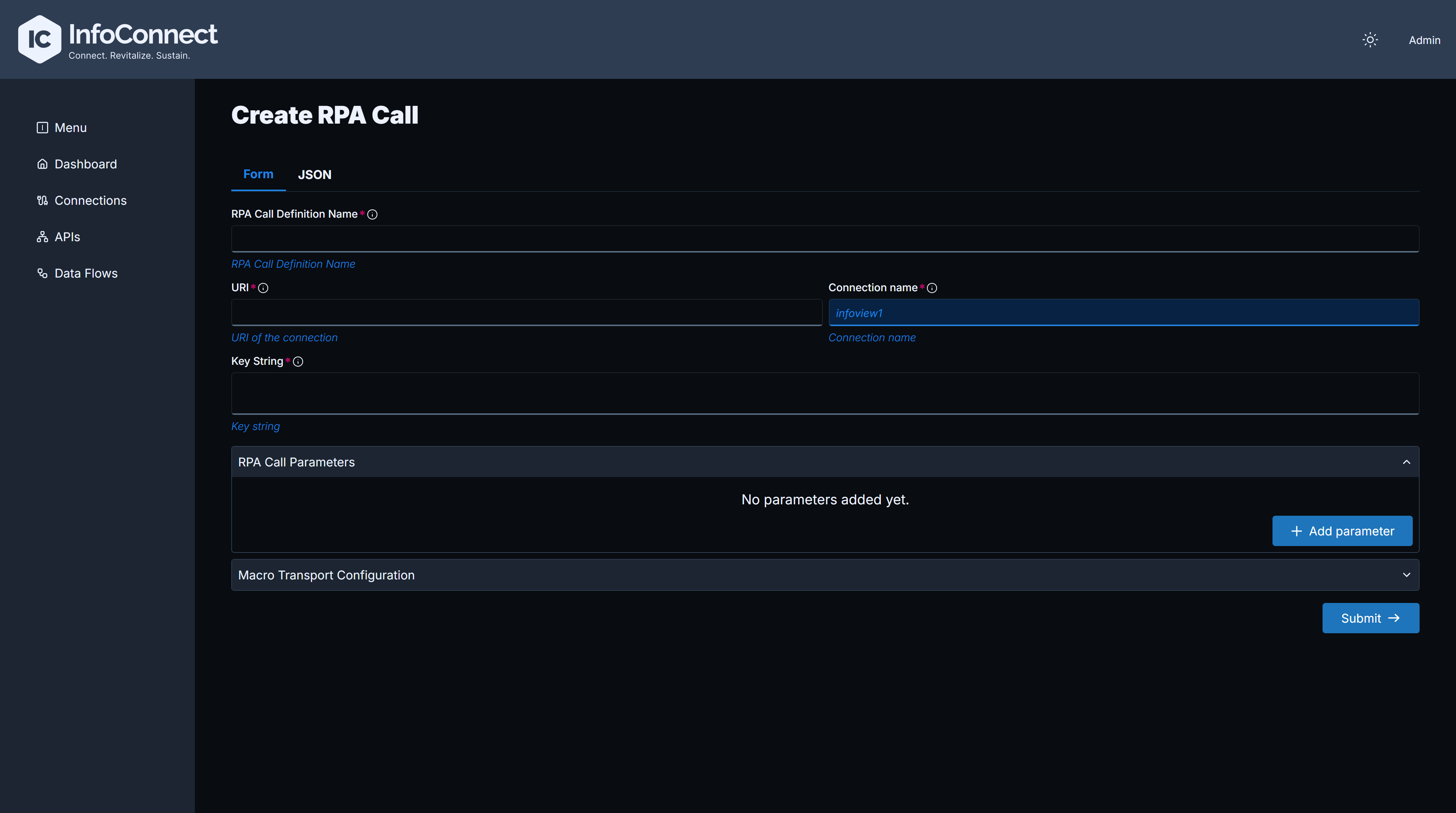
An RPA Call executes a screen automation script on a green-screen application. It requires a Screen Automation Connection. The form has the following sections:
| Section | Content |
|---|---|
| Main fields (no section title) | RPA Call Definition Name, URI, Connection Name (the Screen Automation Connection to use), Supported Http verbs, Query only and Schema validation |
| Key String | Sequence of keystrokes, commands and variables to execute on the green screen |
| RPA Call Parameters | Input and output parameters used by the script. Usage is In or Out. Source field name is required for In parameters. The optional Data type, Length and Decimal positions fields enable type and length checks at runtime, and Data Structure Elements define the fields of a structure. The Is macro parameter checkbox is also available |
| Macro Transport Configuration | Optional. For more complex logic, specify a Python script to execute and configure the location of the script file |
In a Key String, :<name> marks an input variable that is provided when the API is called. For example, in the following key string :<orderStatus> is an input variable:
Define orderStatus as an input parameter in RPA Call Parameters.
You can also create an RPA Call with the Admin API, see RPA API Reference.