Sink settings reference
Fields marked "(required)" must be filled in. Secret fields (passwords, keys) are shown empty on update; leave them blank to keep the stored value. Items marked "new in 5.0.0" were added in this release.
Messaging sinks
| Sink Type | Fields |
|---|---|
| JMS | JMS connection factory (ActiveMQ, Artemis), Username, Password, URL, JMS queue name, Topic name, Dynamic data publishing |
| SNS | SNS topic name, Access key, Secret key, Region |
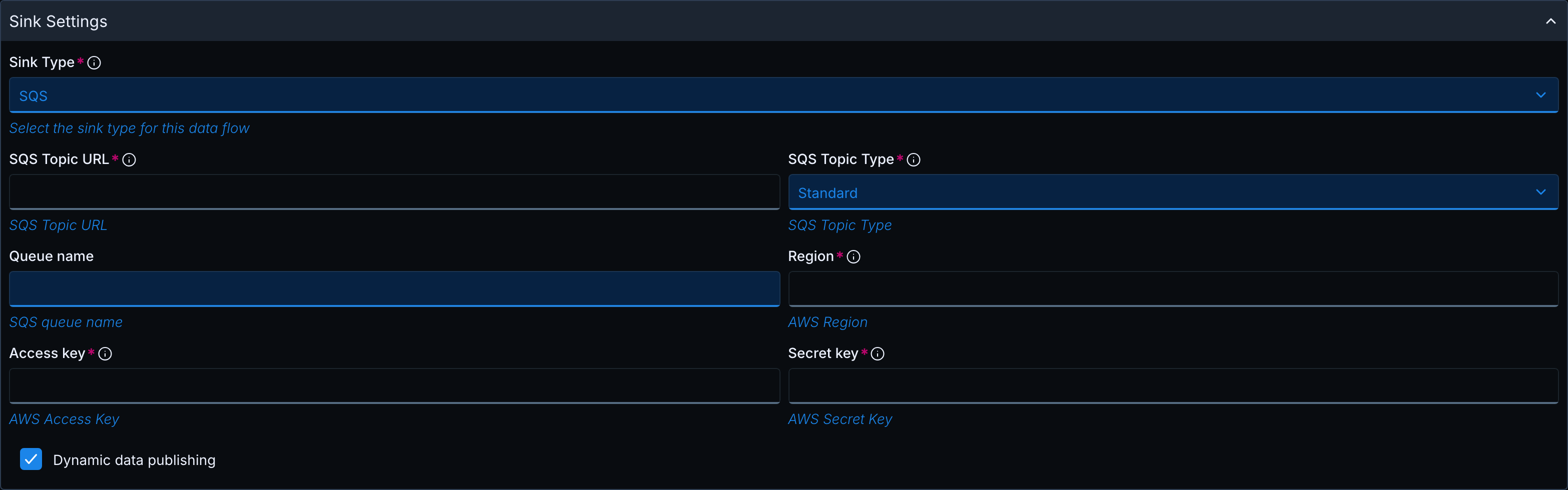
| SQS | SQS Topic URL (required), SQS Topic Type (Standard, FIFO), Queue name (required: the queue the Hub publishes to, or the name prefix with dynamic data publishing; new in 5.0.0), Region (required), Access key, Secret key, Dynamic data publishing |
| ServiceBus | Endpoint, Shared access key name, Shared access key, Topic name or Queue name depending on the Use topic instead of queue switch, Dynamic data publishing |
| EventGrid | Schema (CloudEvent, EventGridEvent), Endpoint, Topic key |
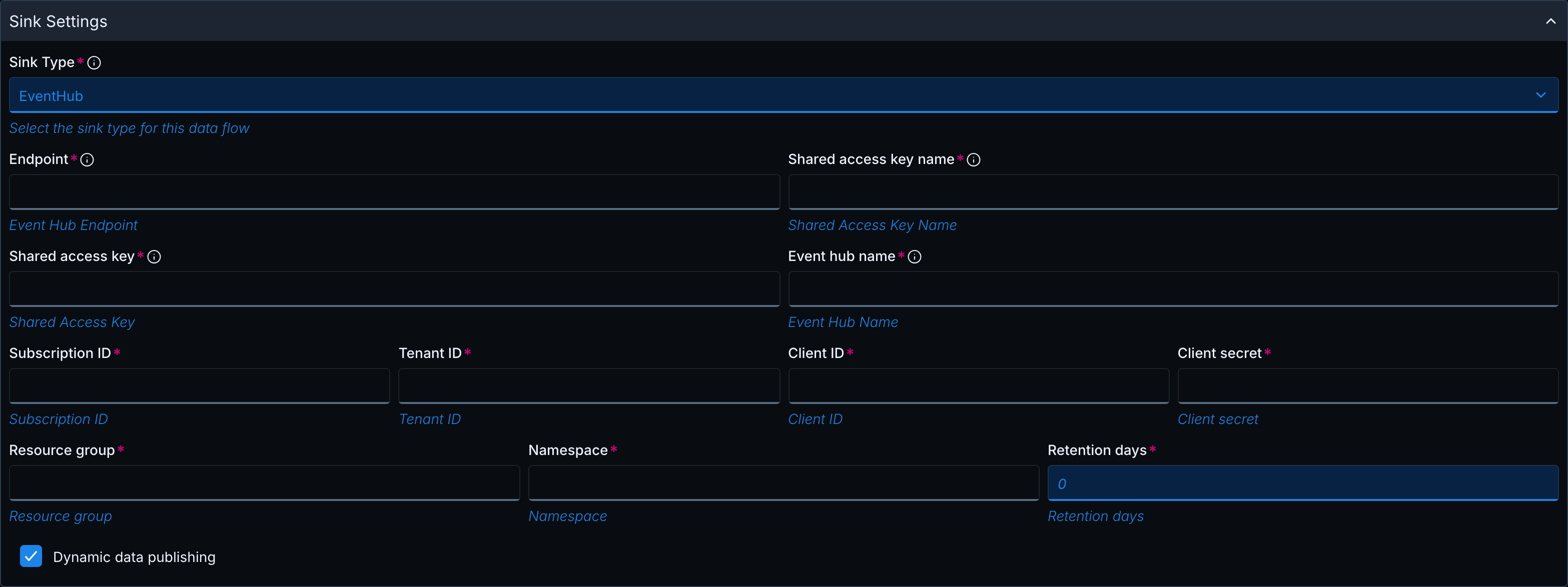
| EventHub | Endpoint, Shared access key name, Shared access key, Event hub name, Dynamic data publishing (see below) |
| GCP | Subscription (Inbound) or Topic (Outbound), Project ID (required), Data format (JSON, AVRO, PROTOBUF; default JSON; new in 5.0.0), GCP Key File Protocol (default None), GCP Key File Name, Dynamic data publishing |
When Dynamic data publishing is selected for EventHub (new in 5.0.0), the following fields appear and are required: Subscription ID, Tenant ID, Client ID, Client secret, Resource group, Namespace and Retention days (1 or greater).
Kafka
| Field | Notes |
|---|---|
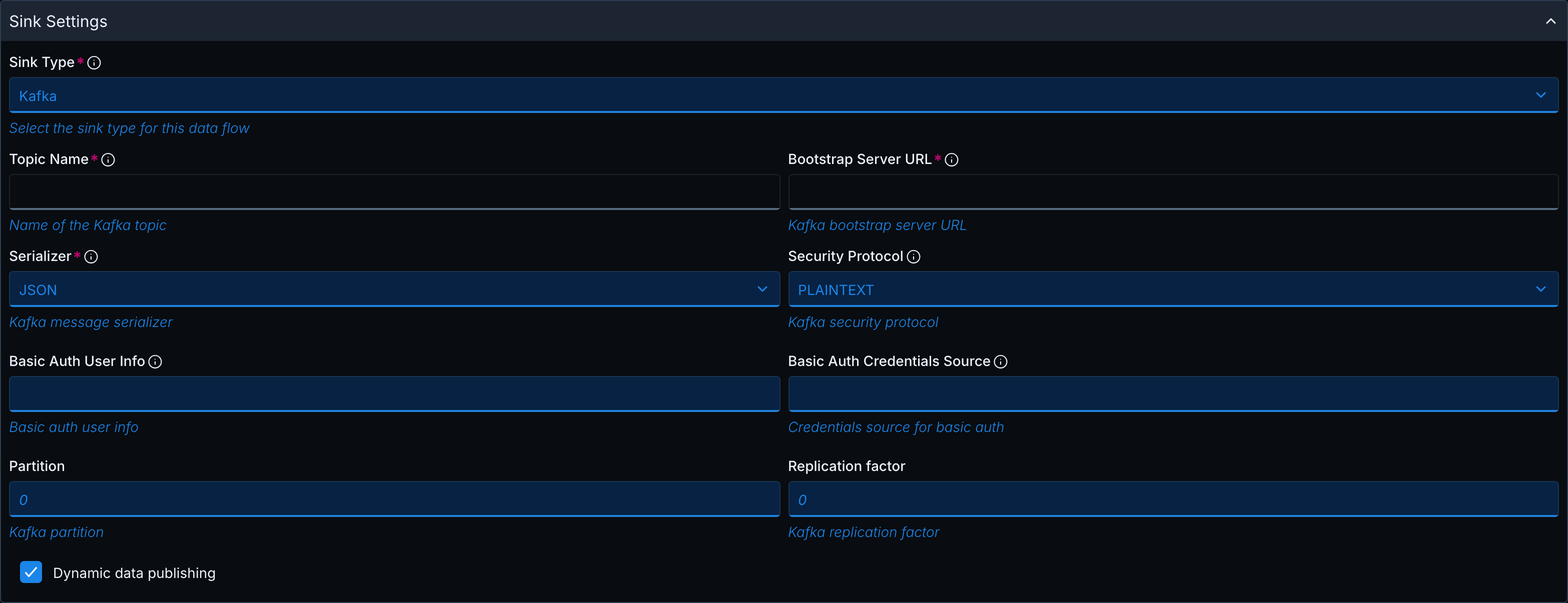
| Topic Name, Bootstrap Server URL | - |
| Serializer | JSON or AVRO. For AVRO, Schema Registry URL is shown |
| Security Protocol | PLAINTEXT, SSL, SASL_PLAINTEXT, SASL_SSL. Further fields depend on the protocol: SASL Mechanism and SASL JAAS Config for SASL_*, Basic Auth User Info and Basic Auth Credentials Source for PLAINTEXT, SSL keystore and truststore fields for SSL |
| Partition | Optional number, default 0 in the form (new in 5.0.0). Set it to 1 or greater when Dynamic data publishing is selected |
| Replication factor | Optional number, default 0 in the form (new in 5.0.0). Set it to 1 or greater when Dynamic data publishing is selected |
| Dynamic data publishing | Checkbox |
JDBC
| Field | Notes |
|---|---|
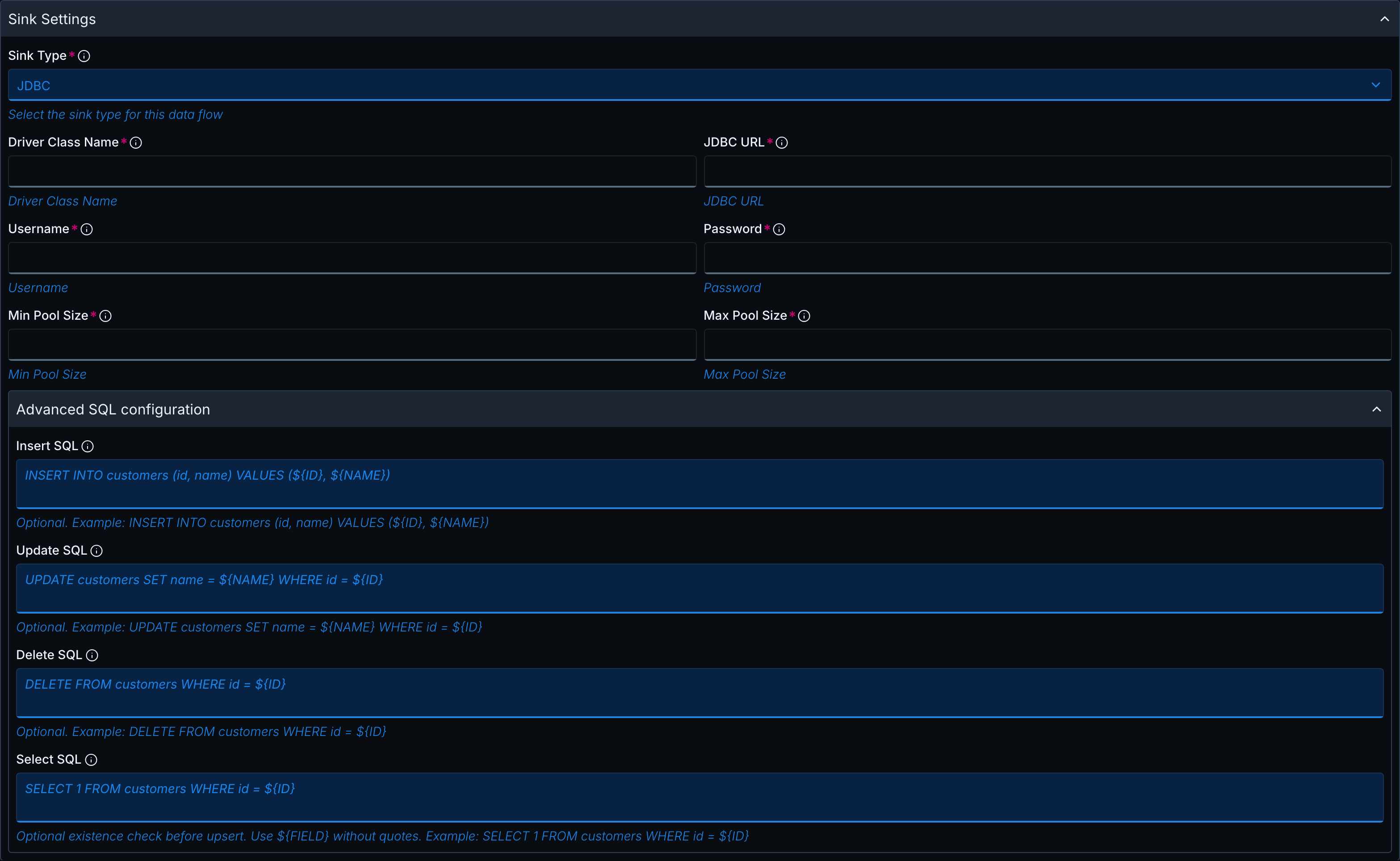
| Driver Class Name, JDBC URL, Username, Password | All required |
| Min Pool Size, Max Pool Size | Required |
| Advanced SQL configuration | Collapsed accordion (new in 5.0.0) with the optional text areas Insert SQL, Update SQL, Delete SQL and Select SQL |
In Advanced SQL configuration, use ${FIELD} placeholders to bind message fields to your own statements. A placeholder name must start with a letter or underscore and may contain letters, digits, _ and #. Otherwise, the form shows Invalid or unmatched ${FIELD} placeholder. Empty text areas are not used.
| Field | Example |
|---|---|
| Insert SQL | INSERT INTO customers (id, name) VALUES (${ID}, ${NAME}) |
| Update SQL | UPDATE customers SET name = ${NAME} WHERE id = ${ID} |
| Delete SQL | DELETE FROM customers WHERE id = ${ID} |
| Select SQL | SELECT 1 FROM customers WHERE id = ${ID}. Existence check before upsert. Use ${FIELD} without quotes |
File and object storage sinks (new in 5.0.0)
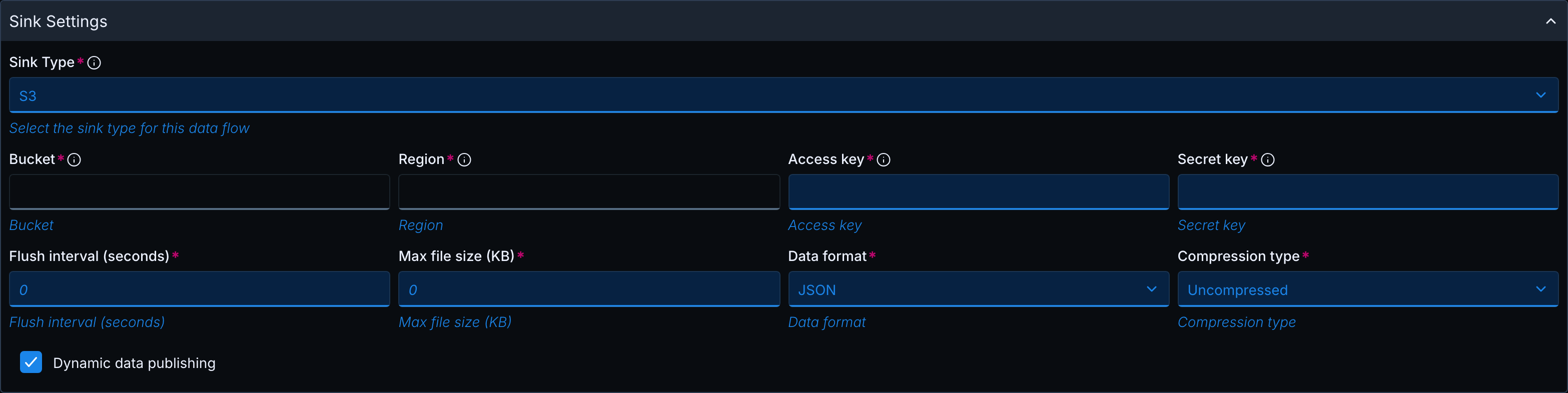
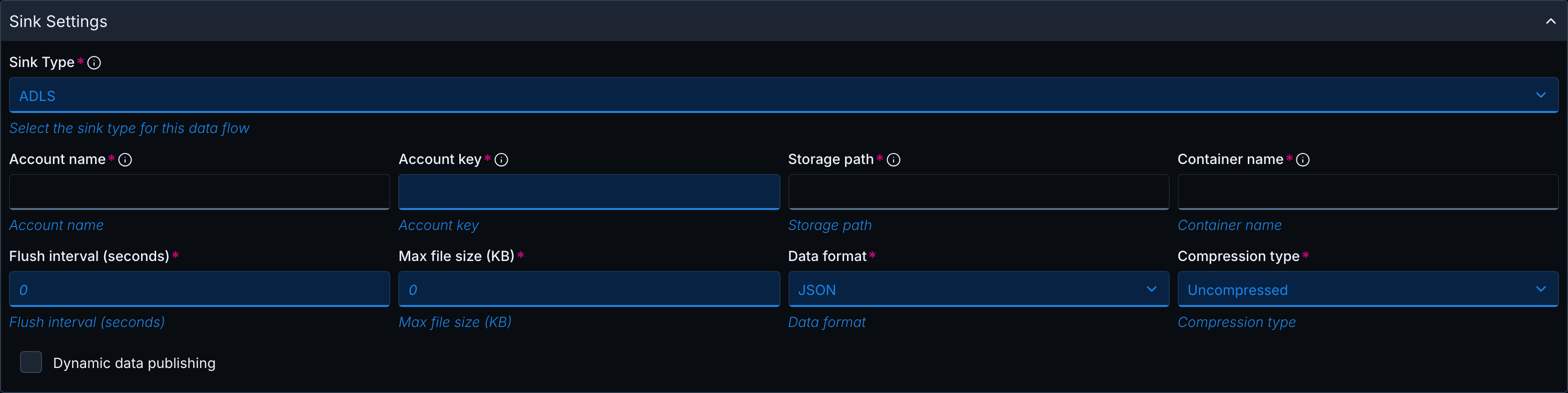
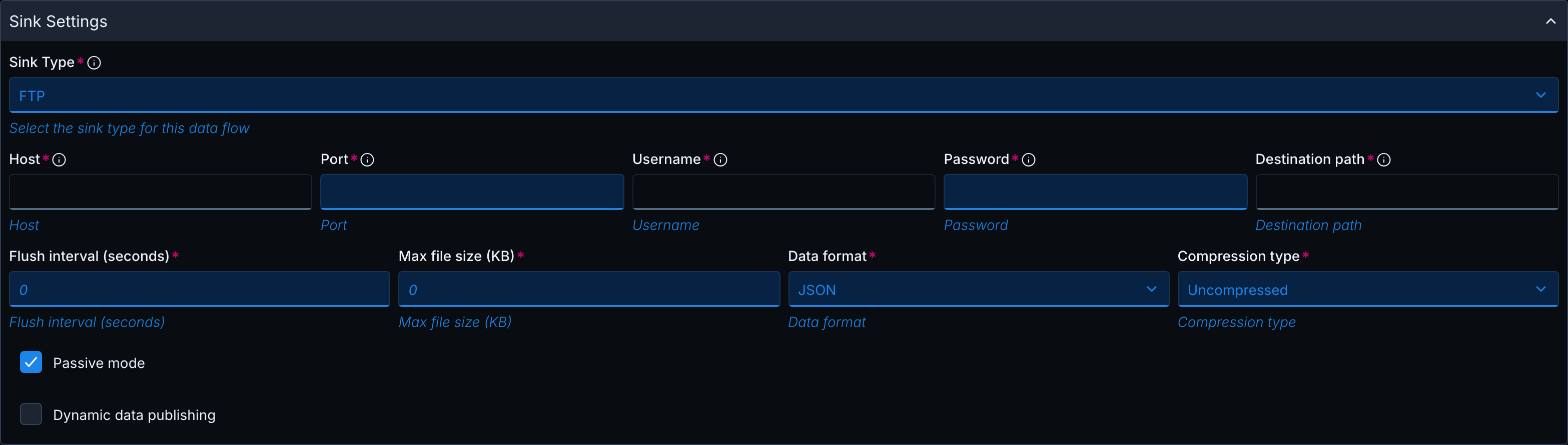
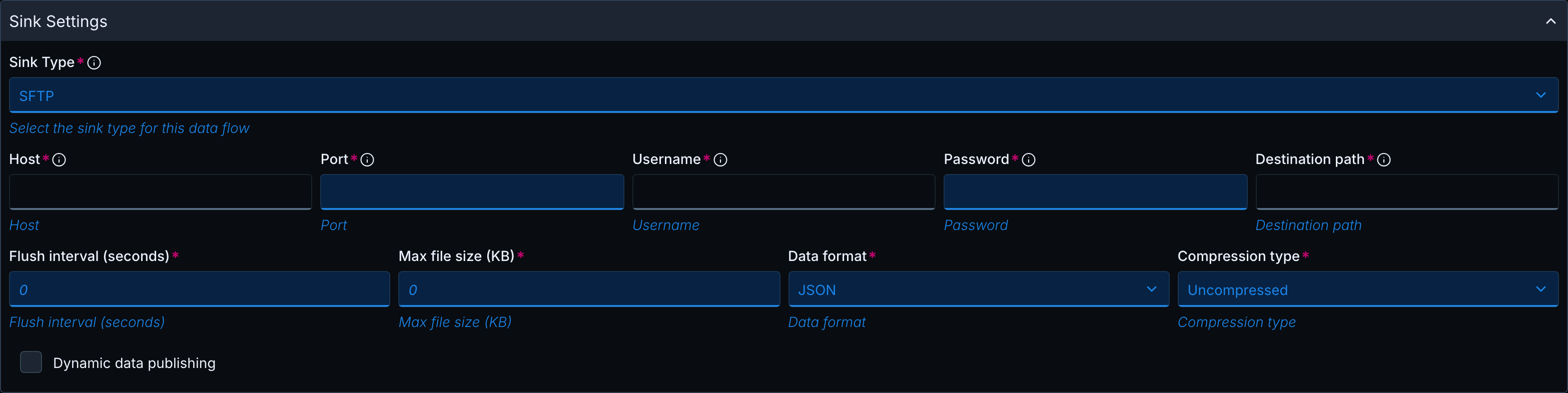
All fields of these sinks are required. S3, ADLS, ABS, FTP and SFTP share the following fields:
| Field | Notes |
|---|---|
| Flush interval (seconds) | Number, default 0, must be 0 or greater |
| Max file size (KB) | Number, default 0, must be 0 or greater |
| Data format | CSV, JSON, Parquet. Default JSON |
| Compression type | Snappy, Uncompressed. Default Uncompressed |
| Dynamic data publishing | Checkbox, unchecked by default |
Each sink has its own additional fields:
| Sink Type | Specific fields |
|---|---|
| S3 | Bucket, Region, Access key, Secret key |
| ADLS | Account name, Account key, Storage path, Container name |
| ABS | Account name, Account key, Storage path, Container name |
| FTP | Host, Port (default 21), Username, Password, Destination path, Passive mode (checked by default) |
| SFTP | Host, Port (default 22), Username, Password, Destination path |
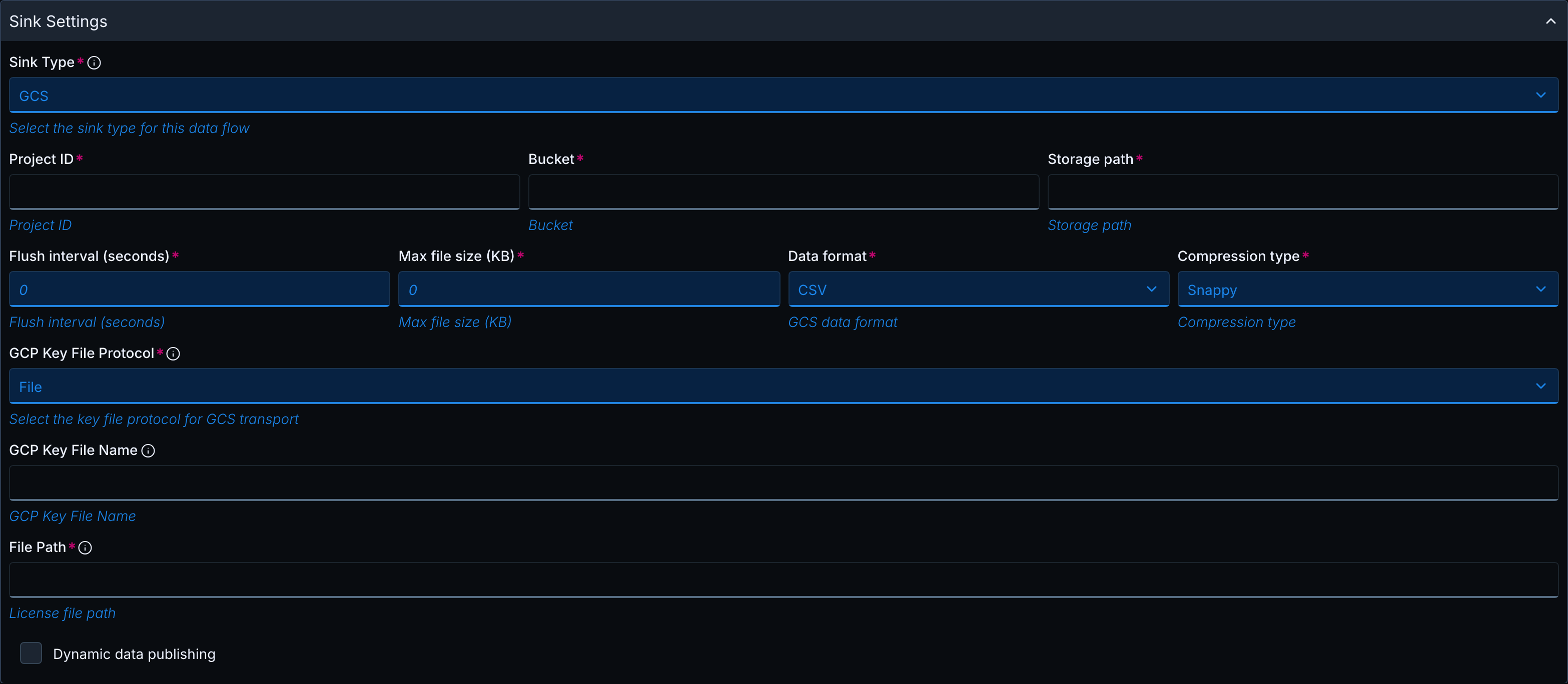
| GCS | Project ID, Bucket, Storage path, Flush interval (seconds), Max file size (KB), Data format (CSV, JSON, Parquet; default CSV), Compression type (Snappy, Uncompressed; default Snappy), GCP Key File Protocol (default File), GCP Key File Name, Dynamic data publishing |
For GCS and GCP, GCP Key File Protocol offers the same protocols and protocol fields as License file protocol, see the protocol table under License Management. GCP Key File Name is shown when the protocol is not None. For GCS, the Hub rejects None; to use Application Default Credentials, omit gcsKeyFileConfig with the Admin API.
Dynamic data publishing
The Dynamic data publishing checkbox is available for the sinks JMS, ServiceBus, SQS, Kafka, GCP, EventHub, S3, ADLS, ABS, FTP, SFTP and GCS (new in 5.0.0). It is not shown for SNS, EventGrid and JDBC, and it is unchecked by default. For how destinations are chosen and what the sinks require, see Dynamic Data Publishing.
For the file sinks and database replication, see also Data Flow File Sinks and Direct Database Replication.